

Setup Guide
Install OrbixPlay on Your Amazon Fire TV from downloader code
⚠️
Our Firestick app has been temporarily removed from the Amazon Appstore. But don’t worry, you can still install it easily using the Downloader app.
1. Activate Developer Options on Fire TV (if not already activated)
- Select FireStick Settings > Click My Fire TV.
- Click About (only if you DO NOT see Developer Options on this screen).
- Click on your Fire TV Stick quickly 7
- You will see a notification at the bottom saying No need, you are already a developer. That’s it, you have enabled Developer Options.
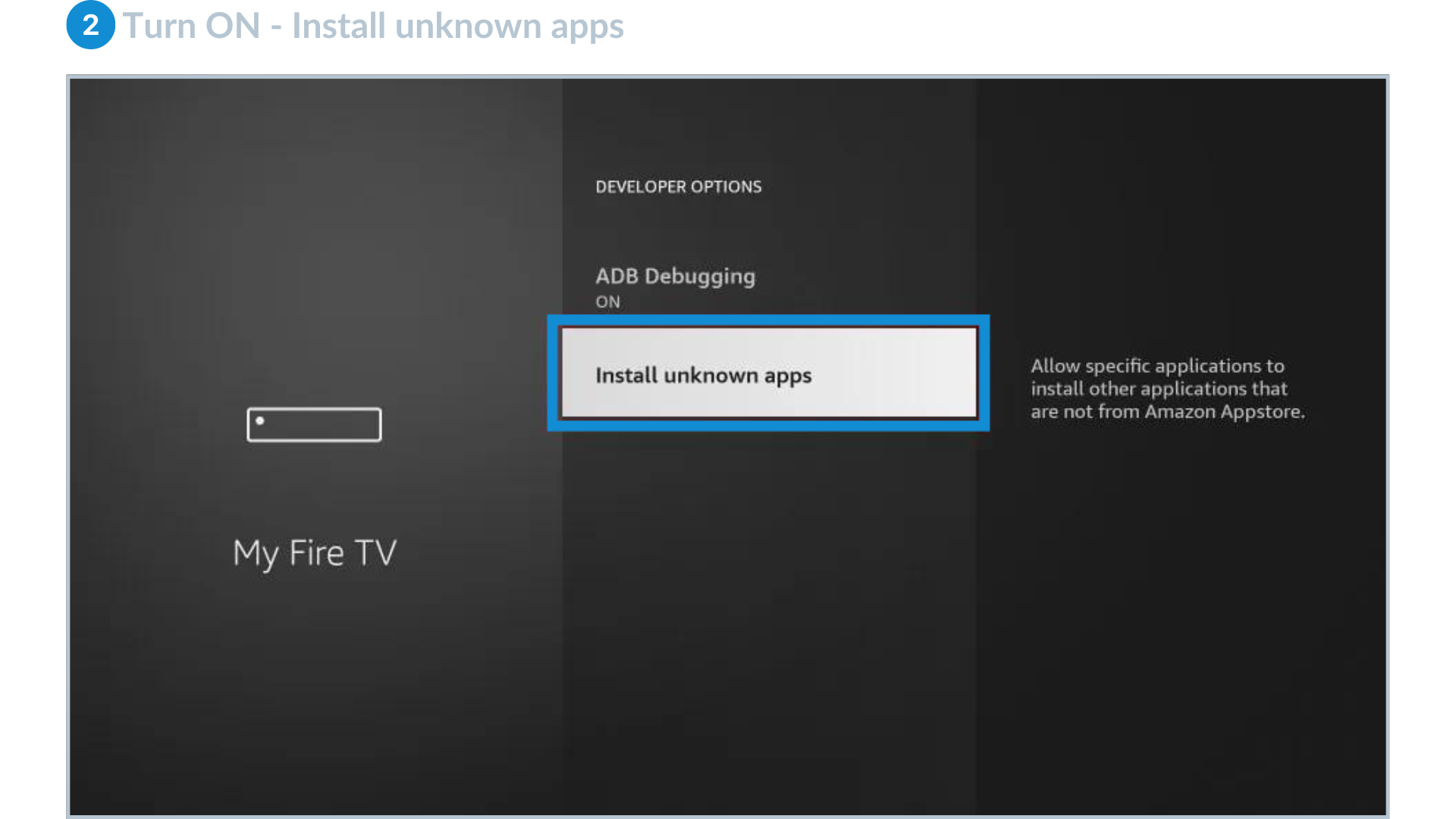
2. Allow installation from third-party sources.
- Click on Developer Options.
- Select Install unknown apps.
- Select it to turn it ON
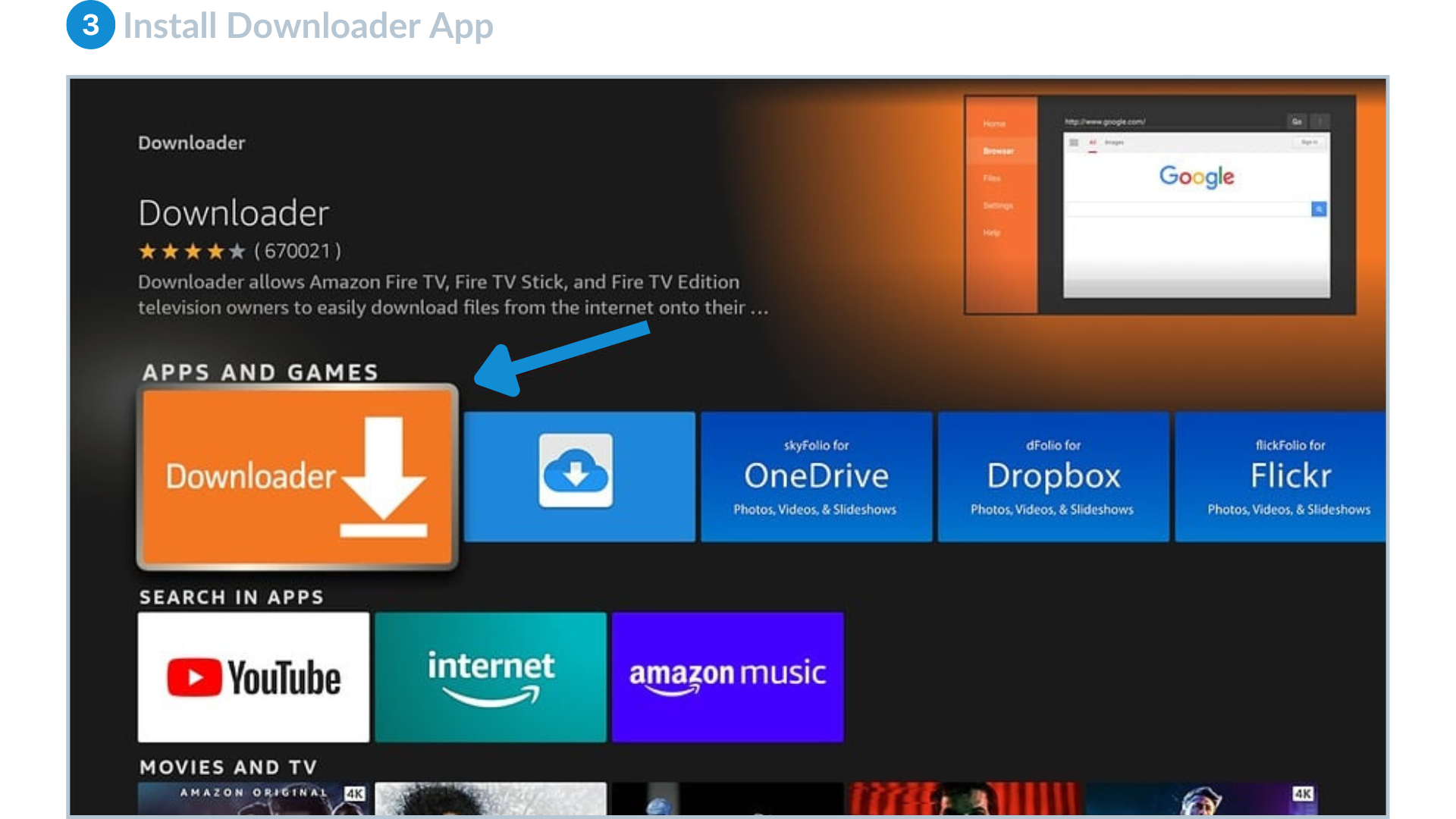
3. Install Downloader App (if not already installed)
- From the Main Menu of your Fire TV, navigate to the Search
- Type 'Downloader' in the search bar and select the Downloader app from the search results.
- Follow the on-screen instructions to Download and Install the Downloader app.
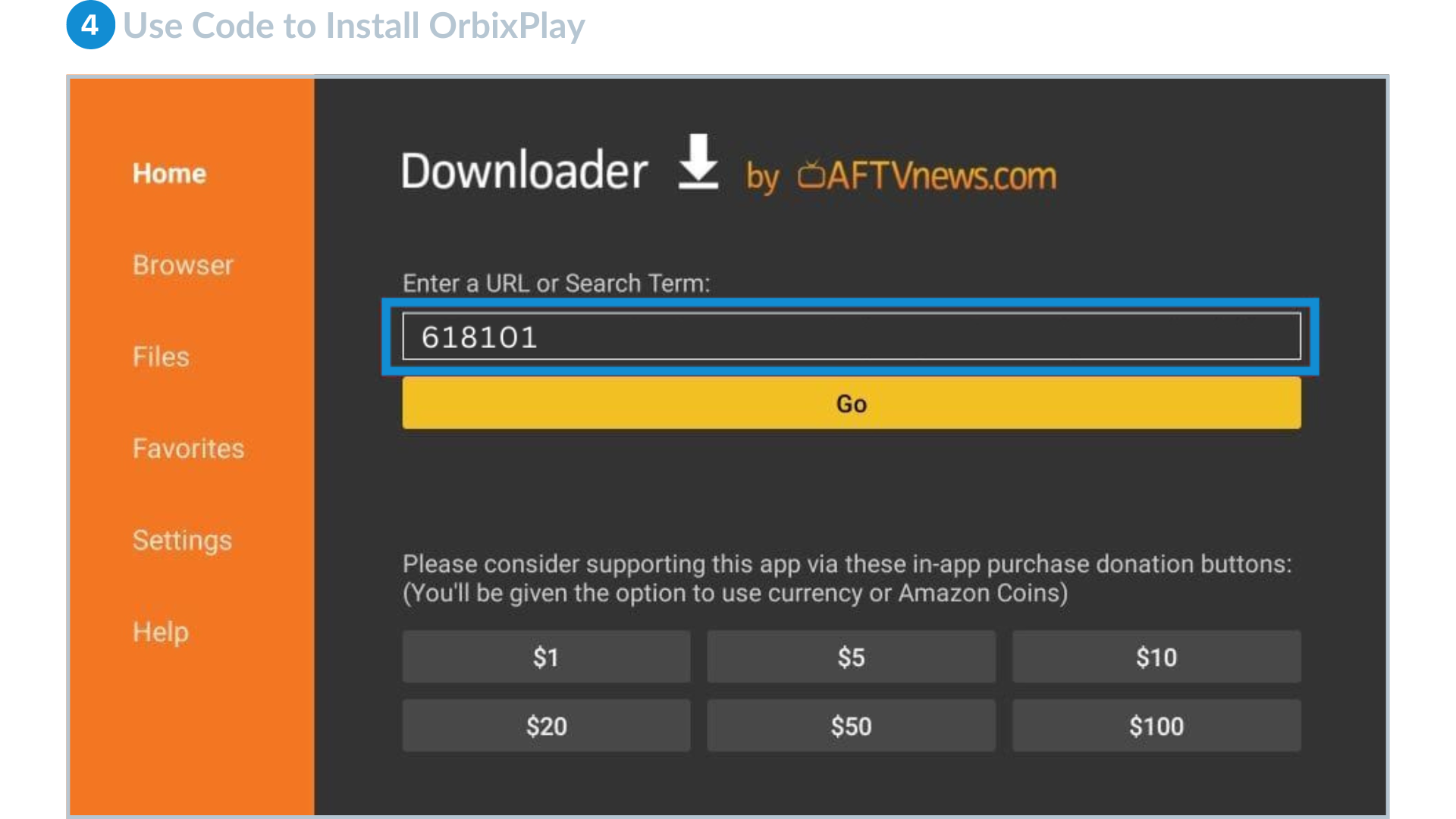
4. Use Downloader Code to Install OrbixPlay
- Open the Downloader app on your Fire TV.
- In the URL field of the Downloader app, Enter the downloader code: 618101
- After entering the code, press the 'Go'
- Click the Download Button to initiate the download of OrbixPlay.
5. Launch OrbixPlay
- After the download and installation are successful, you can Launch the OrbixPlay app from your Fire TV app menu.